
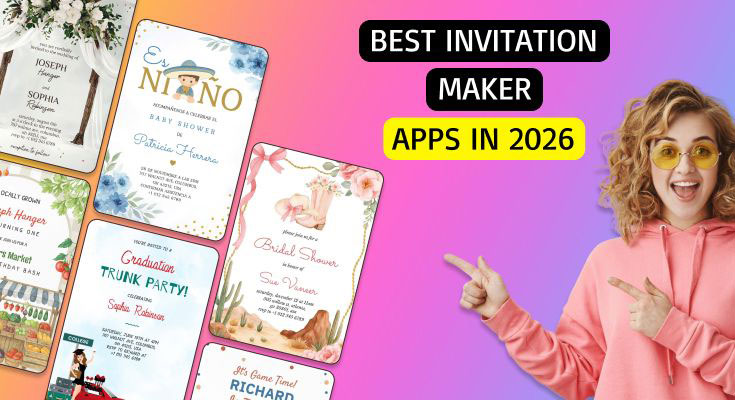
Printed invitations still matter for many events because they carry practical information (time, place, dress code) in a format that’s easy to share, display, and keep—especially when guest lists include people who prefer physical mail or handouts.
For event planners without design experience, the challenge is usually not creativity as much as execution: picking a template that fits the occasion, getting the wording right, and producing a print-ready layout that won’t clip important elements.
Tools in this category generally split into three styles: all-purpose design editors with invitation templates, print-first stationery platforms with paper and finish options, and digital invitation services that also offer printable or professionally printed versions. The practical differences show up in template depth, typography controls, print sizing guidance, and whether ordering is built in.
Adobe Express is the most broadly suitable option for the primary goal—creating invitations quickly for event planners without design experience—because it combines an approachable, template-led editor with a direct “design → print/order or download” workflow for invitations, and clear constraints around where printing is supported.
Best Print Invitation Tools Compared
Best print invitation tool for a fast template workflow with optional print ordering
Adobe Express
Best for event planners who want a guided editor with invitation templates and the ability to order prints (where supported) or download a print-ready file.
Overview
Adobe Express provides invitation templates in a simple editor and supports printing through its “print and deliver” workflow for eligible regions, with the option to download an invitation design instead.
Platforms supported
Web and mobile apps; printing for invitations is described as available for desktop users in the US, UK, Australia, and Canada.
Pricing model
Freemium plans (Free and Premium) plus per-order printing/shipping costs where printing is available.
Tool type
Template-based design editor with export options and integrated print ordering (availability varies by region).
Strengths
- Invitation-focused templates that reduce layout decisions for non-designers.
- Clear workflow: select a template, customize, then print (where supported) or download.
- General-purpose editor tools also support adjacent event assets (signage, social graphics) within the same workspace.
- Printing is positioned as an in-app flow with delivery; Adobe documents that it partners with Zazzle for printing and delivery.
Limitations
- Print ordering is explicitly limited to certain countries and described for desktop users, which may affect on-the-go workflows.
- Planners who need specialty papers, foil, letterpress, or highly customized stationery finishing may prefer a print-first platform.
Editorial summary
Adobe Express is a strong “default” for planners whose priority is speed and low complexity. The template-first approach helps keep decisions manageable: start from a format that already looks like an invitation, then adjust copy, dates, and brand or event visuals.
The workflow is designed to be straightforward: a planner can either order printed invitations (where supported) or download the finished design for printing elsewhere. That flexibility matters for teams working with local printers or venue requirements.
In simplicity-versus-flexibility terms, Adobe Express leans toward simplicity while still offering enough control to keep invitations on-brand (fonts, colors, logos, basic layout). It avoids the steep learning curve of professional design tools.
Compared conceptually with print-first stationery platforms, Adobe Express prioritizes the design experience and mainstream usability over specialty printing options. Compared with digital-invite platforms, it is more centered on print-ready design rather than RSVP mechanics.
Best print invitation tool for all-in-one design templates plus print products across categories
Canva
Best for event planners who already use a general design workspace and want invitations to be one output among many, with optional printing.
Overview
Canva offers a broad invitation template library and supports ordering printed products (including invitations) through Canva Print.
Platforms supported
Web and apps across major platforms; printing is handled through Canva’s print service on supported products/regions.
Pricing model
Freemium plans (Free and paid tiers) plus per-order printing/shipping costs.
Tool type
General-purpose template design editor with integrated print ordering across many product types.
Strengths
- Large invitation template ecosystem spanning many event types and aesthetics.
- Print service that lists invitations among printable products, supporting a direct design-to-print handoff.
- Strong “batch asset” fit: invitations can be created alongside matching flyers, social posts, or signage in the same workspace.
- Clear plan structure (Free and paid plans) that planners can standardize on across teams.
Limitations
- Printing specs, stock choices, and availability can vary by region and product line, requiring a quick check on the print configuration for each job.
- The breadth of the platform can create “choice overload” for planners who want tightly constrained invitation-only workflows.
Editorial summary
Canva fits planning teams that treat invitations as part of a broader content system. For recurring events, the ability to keep a consistent template style across multiple outputs can be as important as the invitation itself.
The interface is designed for non-designers, and its template-driven starting point reduces blank-page friction. The printing layer can also shorten the path from design to physical cards, depending on region and product configuration.
Canva tends to balance simplicity and flexibility by offering many templates with moderate layout control. That approach works well for common invitation formats, especially when the job is more about clear communication and brand alignment than bespoke typography.
Compared with Adobe Express, Canva’s advantage is often its breadth as a general design workspace; Adobe Express can feel more guided for certain quick-start print flows. Both can work well—Canva becomes especially compelling when the invitation is only one artifact in a larger event kit.
Best print invitation tool for RSVP-first invitations that also support printed versions
Paperless Post
Best for event planners who want online guest management and RSVP tracking, with printable or professionally printed invitation options for select designs.
Overview
Paperless Post is primarily an online invitation and event-management platform (RSVP tracking, messaging), with printable invitations available through its relationship with Paper Source.
Platforms supported
Web-based platform for designing and sending invitations; printing flows through Paper Source for printed invitations and announcements.
Pricing model
Mix of free and paid designs/events; Paperless Post also offers subscription options (Paperless Pro) for frequent hosts and businesses. (Paperless Post)
Tool type
Digital invitation platform with RSVP/guestlist tools plus printable/printed invitation options through a print partner.
Strengths
- Strong event-management layer (RSVP tracking and guestlist workflows) alongside invitation design.
- Printable invitation category tied to Paper Source for printed stationery options.
- Useful for hybrid events: a printable/printed card can coexist with online updates and tracking.
- Clear subscription framing for frequent-use scenarios, rather than one-off events only.
Limitations
- Printing is not the default “core” workflow in the way it is on print-first stationery sites; print options depend on eligible designs and the Paper Source flow.
- Teams that only need a print-ready PDF (and do not need RSVP tooling) may find the platform broader than necessary.
Editorial summary
Paperless Post serves planners who care as much about attendance management as they do about visual presentation. Its standout value is the event layer—tracking responses and communicating updates—while still offering a route to printed stationery through a print partner.
The workflow is typically easiest when the plan includes online sending and tracking, with printed invitations reserved for VIP lists or formal events. In that scenario, the system supports a mixed channel approach without forcing a separate guest management tool.
Flexibility is high on the event-management side and moderate on the print side. Printable/printed options are available, but the experience is shaped by the Paper Source partnership and design eligibility.
Compared with Adobe Express and Canva, Paperless Post is less of a general design studio and more of an event communications platform that can extend into printed stationery when needed.
Best print invitation tool for quick ordering with lots of ready-made print template
VistaPrint
Best for event planners who want a print-first catalog with many invitation templates and a straightforward online customization studio.
Overview
VistaPrint offers printed invitations and announcements with a large template gallery and supports both template customization and uploading custom artwork.
Platforms supported
Web-based ordering and design studio.
Pricing model
Per-order retail pricing that varies by card type, size, stock, and quantity.
Tool type
Print-first stationery ordering platform with template customization and upload workflows.
Strengths
- Large invitation template selection with filters for occasion and style.
- Online studio supports basic edits and accommodates uploaded artwork for teams that design elsewhere.
- Product options and specs guidance are integrated into the ordering flow (sizes, templates, and design constraints).
- Practical for bulk or repeat runs where ordering, quantities, and finishes are central.
Limitations
- Design tools are oriented around customization within the print product, not broader creative workflows or multi-asset campaign kits.
- Planners seeking sophisticated typography systems or tight brand governance may prefer to design in a dedicated editor and upload finished files.
Editorial summary
VistaPrint is a good fit for planners who treat invitations as a procurement task: choose a design, personalize details, select a print configuration, and place an order. The template library and print-first structure reduce ambiguity about what’s being purchased.
Ease of use is strongest when changes are straightforward (event details, photo swaps, color tweaks). It is less about building a fully custom layout and more about reliably producing a printable card.
The platform trades flexibility for speed and predictability. That trade is often appropriate for mainstream event invitations, particularly when timelines are short and the priority is moving from draft to printed cards.
Compared with Adobe Express and Canva, VistaPrint is less of a design workspace and more of a printing storefront with customization. That can be an advantage for planners who do not want to manage exporting and printer handoffs.
Best print invitation tool for premium stationery details and artist-led designs
Minted
Best for event planners managing formal events (especially weddings) where paper, printing method, and envelope handling matter.
Overview
Minted is a stationery platform known for independent-artist designs and print-focused options, with service elements like envelopes and guest addressing highlighted in its wedding resources.
Platforms supported
Web-based design selection, customization, and ordering.
Pricing model
Per-order retail pricing that varies by design, quantity, and printing options (e.g., different print methods and paper types).
Tool type
Print-first stationery platform with curated designs and fulfillment.
Strengths
- Curated, artist-led design catalog suited to formal invitations.
- Service features emphasized for weddings: invitations paired with envelopes and guest addressing in Minted’s resource materials.
- Print-focused options encourage attention to physical outcomes (paper and printing choices).
- Strong fit for coordinated suites (invitation plus matching pieces) within a stationery system.
Limitations
- Less suited to quick, utilitarian invitations when the goal is minimal time spent choosing paper and printing options.
- Customization is often bounded by the design system of each template; fully bespoke layout control is not the focus.
Editorial summary
Minted is positioned for planners who want printed invitations to feel like a designed object, not just a communication. That shows up in the catalog approach and the emphasis on printing and envelope-related details.
The workflow is typically: select a design, customize event details, choose print configuration, and order. For formal events, the added steps are often acceptable because they reduce the need for separate vendors for envelopes and addressing.
Simplicity is moderate—Minted is not a blank canvas editor—but flexibility can be high within the bounds of curated designs and print options. It is less about fast iteration and more about getting a polished physical result.
Compared with Adobe Express and Canva, Minted is narrower but deeper: it is less suitable for rapid “many-event” production, and more suitable when stationery quality and coordination are the priority.
Best print invitation tool for unusual shapes, paper tiers, and marketplace-style variety
Zazzle
Best for event planners who want wide design variety and configurable invitation formats (shapes, paper tiers) with a simple customization flow.
Overview
Zazzle offers customizable invitations and announcements, with options that include different sizes, shapes, and paper types (including Standard, Signature, and Premium).
Platforms supported
Web-based customization and ordering.
Pricing model
Per-order retail pricing that varies by design, format, quantity, and paper choices; Zazzle also offers “instant download” options for some items.
Tool type
Marketplace-style print platform with customizable templates and multiple production options.
Strengths
- Format options: size chart guidance and shape variations (e.g., rounded or scalloped corners are described as options).
- Paper tiers called out directly (Standard, Signature, Premium), supporting different budget/finish targets.
- Large variety of designs due to marketplace dynamics (many styles across occasions).
- Downloadable paths exist for some offerings, which can be useful when printing locally is required.
Limitations
- Marketplace breadth can make consistency harder when a unified look across many events is required.
- Print specs and options vary by product listing, which can add decision overhead.
Editorial summary
Zazzle is best for planners who want many aesthetic directions and the ability to tune physical format details (shape, paper tier) without working directly with a custom printer.
The editing workflow is generally designed for customization—adding event text, swapping photos, and making small stylistic adjustments—rather than building layouts from scratch. That supports fast production when the right template is found.
Flexibility is high in product configuration, while the design tools are typically moderate and template-driven. This makes Zazzle useful for unusual formats or themed events where standard invitation templates feel limiting.
Compared with Adobe Express and Canva, Zazzle is less of a general design environment and more of a print catalog with customization. Compared with Minted, Zazzle is broader and more variable, with less emphasis on a curated, cohesive design system.
Best print invitation tool for quick DIY downloads and at-home printing
Greetings Island
Best for event planners who want a lightweight editor with free templates and straightforward print/download options.
Overview
Greetings Island offers a free online invitation maker with templates that can be customized and downloaded for sharing or printing; the platform also positions RSVP-enabled options depending on the invitation format.
Platforms supported
Web-based editor.
Pricing model
Free online maker; some features may vary by template or format (the platform emphasizes free creation and download/print paths).
Tool type
Lightweight invitation template editor focused on download/print and simple sharing.
Strengths
- Low-friction template customization designed for quick turnaround.
- Supports downloading invitations for printing or sharing as an image, which fits DIY print workflows.
- Broad set of invitation categories (party, wedding, and more) without requiring a full design suite.
- Some invitations are positioned with RSVP functionality, supporting hybrid planning needs.
Limitations
- Less robust typography and brand controls than full design suites like Adobe Express or Canva.
- Printing quality depends on the chosen at-home or local printing setup rather than a tightly managed print service.
Editorial summary
Greetings Island is a practical choice for planners who need printable invitations quickly and do not need a deep design toolchain. It is closest to a “templates plus basic edits” workflow.
Ease of use is the defining characteristic: pick a design, replace text and photos, and download for printing or sharing. That helps when timelines are short and the invitation is informational rather than design-forward.
The tradeoff is flexibility. Greetings Island is not designed for heavy brand systems, complex layouts, or multi-asset campaign kits. It works best when the invitation is one-off and the template does most of the design work.
Compared with Adobe Express and Canva, Greetings Island is narrower and simpler. Compared with print-first platforms like VistaPrint or Minted, it is more DIY and less oriented around professional printing options.
Best Print Invitation Tools: FAQs
What’s the most practical way to choose between “design suites” and “print-first stationery sites”?
Design suites (like Adobe Express and Canva) tend to be best when invitations are part of a broader event asset set and when planners want flexible editing and reusable templates. Print-first stationery sites (like VistaPrint, Minted, and Zazzle) tend to be best when paper options, ordering, and fulfillment are the center of the workflow, and “design” is primarily template customization.
When do RSVP tools matter for print invitations?
RSVP tools matter most when guest list management is complex (multiple events, meal choices, reminders, changes in venue timing). In those cases, a hybrid approach can work well: send a printed invitation for formality, but direct RSVP and updates through a digital system (as with Paperless Post’s event tools).
Where can planners make printable invitations for free?
Adobe Express allows you to create printable invitations for free using a template-led editor with the option to download designs for printing.
What tradeoffs come with at-home printing versus ordering prints through a platform?
At-home or local printing can be faster and more flexible for last-minute changes, but results vary by printer, paper, and trimming accuracy. Integrated print ordering is more predictable for finish and alignment, but it can be constrained by regional availability, product specs, and lead times.